
Candy Race Launcher
GamnestPersonalization
4.6594.00 Reviews
- Version
- 1.0.3
- Installs
- 10.00M
- Age Rating
- Everyone
Screenshots
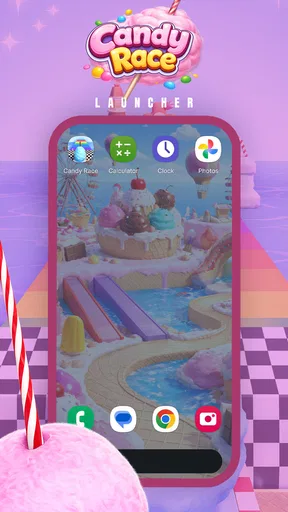
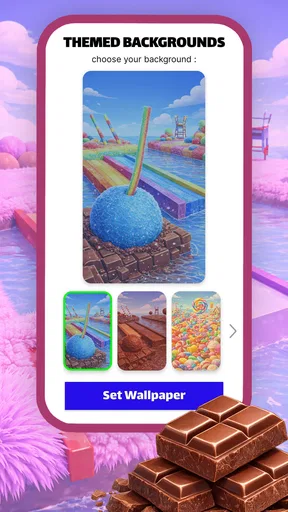
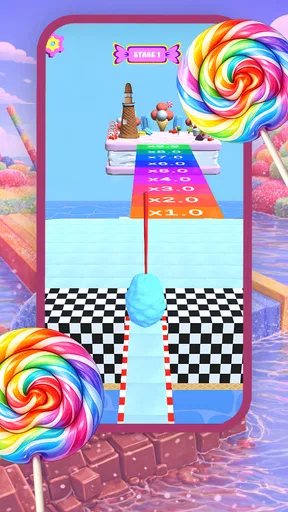
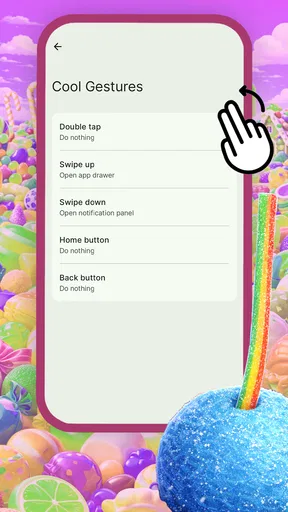
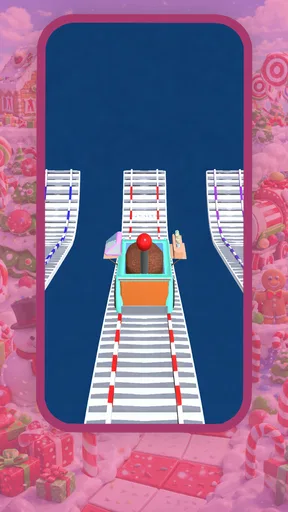
Our Review of Candy Race Launcher
 Analysis by Appyee
I approached Candy Race Launcher as a personalization app rather than as a full game, and that distinction matters from the first minute. Its idea is simple: give your phone a candy-race identity through the launcher experience, then make that look practical enough for everyday use. The result is cheerful and deliberately playful, but it still has to pass the ordinary tests I apply to any launcher: can I find my apps quickly, does the layout feel comfortable, and does the theme remain pleasant after the novelty wears off?
My first impression was that Gamnest is aiming at people who want their Android home screen to feel more expressive without spending time designing every detail from scratch. The app is free, rated for Everyone, and sits in the personalization category. That makes it an easy experiment for families, younger users, or anyone who wants a bright change from a standard system layout without committing to a complicated customization project.
The store summary calls it “The Sweetest Race on Earth,” while the short description presents it as a candy race launcher. I found that positioning useful: this is best understood as a themed front end for your phone, not a replacement for every advanced tool found in a power-user launcher. If you expect deep automation, extensive icon editing, or a highly technical desktop, you may come away wanting more. If you want a friendly visual reset, its narrower focus is part of the appeal.
How I built a comfortable everyday setup
My baseline workflow was intentionally boring. I installed the app, looked at the main home screen, checked how familiar apps were arranged, and then spent a little time deciding what deserved to stay visible. That last step made more difference than the theme itself. A colorful launcher can look attractive while still becoming frustrating if the first screen is crowded with apps I rarely open.
I kept only the apps I use several times a day within easy reach and moved less frequent tools away from the first view. This is a useful habit with any launcher, but it is especially important here because the candy styling naturally draws the eye. When every icon or shortcut competes for attention, the screen can feel busier than the underlying phone. Reducing the number of visible choices helped the theme feel intentional instead of noisy.
I also treated the launcher as a visual starting point rather than a replacement for the phone’s entire organization system. Search, notifications, and the app list still matter more than decoration once I am in a hurry. My practical test was simple: could I open messaging, the camera, maps, and settings without pausing to admire the layout or hunt through it? A themed launcher succeeds for me only when the answer is yes.
A realistic everyday example is a quick morning check. I might unlock the phone to read a message, glance at a calendar item, and open a navigation app before leaving home. Candy Race Launcher adds personality to that moment, but it does not remove the need for a clean first screen. I would not fill it with every candy-themed option available; I would use the visual style as a frame around a small group of reliable actions.
That approach also makes it easier to decide whether the app is right for you. Someone who enjoys changing the mood of a phone and is happy to arrange a few essentials will probably appreciate the experience. Someone who wants the launcher to reorganize everything automatically, or who dislikes any extra visual layer between the system and their apps, may prefer the default launcher or a more utilitarian alternative.
What I changed before judging the theme
I gave myself time to use the home screen for ordinary tasks instead of judging it only from the first glance. The candy concept is immediately recognizable, but the more useful question is whether it remains readable in different situations. I checked it when moving quickly between apps, when looking at the screen in a bright room, and when trying to locate something I had not opened recently.
My main adjustment was to separate frequent actions from decorative interest. A themed layout works best when the practical items have a predictable place. I used the first screen for daily essentials and left the rest to the app drawer or secondary pages. This creates a repeatable habit: I know where to look for the same tools every time, while the candy styling remains visible without taking over the workflow.
One non-obvious trade-off is that a playful theme can encourage more customization than you actually need. It is tempting to keep changing the arrangement because the visual concept invites experimentation. I found that a short setup session followed by a period of leaving the layout alone produced a better result than constant rearranging. The launcher became easier to evaluate once I stopped treating every screen element as something that needed attention.
Another useful habit is to make changes in small batches. I would adjust the placement of a few important apps, use the phone normally, and then decide whether another change was necessary. This avoids the common problem of redesigning the entire home screen and then forgetting where everything went. For Candy Race Launcher, this is more valuable than chasing a perfect arrangement on the first attempt.
Settings and choices worth checking
The first settings worth checking are the ones that affect daily access: which screen opens first, where your most-used apps sit, and how much information you want visible at a glance. I would not begin with decoration. I would first make sure the launcher fits the way I already use the phone, then let the candy theme add character around that structure.
If the app presents visual choices, I recommend comparing them with your actual wallpaper, lighting, and icon habits rather than choosing only by the brightest preview. A design that looks exciting during setup may make labels or familiar app shapes harder to recognize later. My rule is practical: if I need to stare at an icon to identify it, the theme is costing more time than it saves.
I would also check how the app behaves alongside the system’s normal navigation and notification habits. A launcher should not force you to relearn the basic gestures or make notifications feel disconnected from the rest of the phone. If a particular arrangement makes returning home slower, I would change the arrangement rather than stubbornly keeping it because it looks better.
There is a useful distinction between a launcher setting and a phone setting. System-level choices such as display size, text size, battery behavior, and default-app controls may still be handled by Android itself. I would avoid assuming that a themed launcher replaces those controls. Keeping that boundary clear helps prevent confusion when you are troubleshooting a behavior that belongs to the operating system rather than to the home screen.
The app supports Android versions from 8.0 onward, so compatibility is broad enough for many existing devices. Still, I would judge the experience on the specific phone in front of me. Screen proportions, system navigation, and the age of the device can affect how comfortable any launcher feels. A theme that looks spacious on one display may feel tighter on another, and no visual style can compensate for hardware that already feels slow.
Faster patterns for experienced users
After the initial setup, I found that the fastest approach was to stop thinking of the launcher as a gallery and start treating it as a map. Put the apps you open together by task, not by appearance. For example, communication tools can share one area, travel tools another, and occasional utilities can stay out of the way. The candy race look remains the surface, but the underlying logic becomes much more efficient.
I also recommend using a fixed launch routine. When I unlock the phone, I look in the same area first, use the app list or search when the target is not there, and avoid moving icons during the day. This sounds obvious, yet it is one of the clearest differences between a pleasant launcher and a distracting one. Consistency turns a decorative interface into a dependable tool.
A second advanced habit is to keep the first screen reserved for actions that benefit from immediate access. A rarely used app does not become more useful just because its icon matches the theme. Removing it from the main view reduces visual competition and makes the candy design feel cleaner. This is a small change, but it is the kind of decision that experienced users make repeatedly across different launchers.
I would also take screenshots of a layout I genuinely like before experimenting further. This is not a special feature claim; it is simply a sensible personal workflow. If a later change makes the home screen less useful, a visual reference helps me rebuild the arrangement without relying on memory. It is particularly handy when trying several styles in one sitting.
Another practical tip is to test the setup with one-handed use. A launcher can look balanced while placing the most important controls or icons just beyond comfortable reach. I would move the apps I open while walking, commuting, or carrying something into the easiest area to tap. The bright theme should support real movement, not just look good in a stationary screenshot.
For families, the app may work as a friendly way to give a shared device a more approachable personality. I would still keep the layout restrained and explain where the important apps live. The Everyone rating makes the concept broadly accessible, but an age rating does not automatically mean every layout is equally easy for every person. Clear placement matters more than visual excitement when someone else depends on the phone.
Where the playful approach reaches its limits
The biggest limitation is scope. Candy Race Launcher is not the choice I would make for a heavily engineered productivity setup that depends on intricate gestures, extensive automation, or a very specific desktop philosophy. The app’s strength is its theme and approachable presentation, so users seeking a laboratory of controls may find the experience too focused.
There is also a potential attention cost. Bright, characterful visuals can make the phone more enjoyable, but they can also encourage extra checking and rearranging. I noticed that the theme is most successful when I decide what I want the phone to help me do and then stop customizing. If the launcher becomes a reason to keep opening the home screen, the personalization has started working against my routine.
Compared with the standard Android launcher, this app offers a stronger sense of identity and a more deliberate visual mood. The default option is usually the safer choice for people who want minimal change, predictable system integration, and no desire to maintain a theme. Candy Race Launcher is more appealing when emotional tone matters: perhaps you want a cheerful phone, a playful family device, or simply a break from a plain grid.
Compared with a general-purpose third-party launcher, the trade-off is different. A broader launcher may be better for people who want to tune every spacing, gesture, folder behavior, and visual detail. Candy Race Launcher makes more sense when you value a ready-made candy direction over endless configuration. I would choose the specialized option for mood and simplicity, and the general-purpose option for control.
Performance expectations should also stay realistic. The launcher is free and has attracted a substantial audience, with over ten million installs and an average rating of four and a half stars from around sixty-one thousand ratings. Those figures suggest that the concept connects with many users, but they do not guarantee that every device or personal workflow will feel equally smooth. I would still spend a normal day with it before deciding whether it deserves to remain the default.
The current version is 1.0.3, and the app was released on February 19, 2026. That places it in a relatively early stage of its product life, so I would keep my expectations measured when comparing it with launchers that have had years to accumulate specialized tools. The sensible way to use it is to appreciate what it does well now while checking whether its current behavior matches your needs.
Who should install it, and who should skip it?
I would recommend it to someone who wants a free personalization app with a clear visual idea, especially if the usual Android home screen feels dull. It is also a reasonable choice for users who prefer guided styling to building a theme piece by piece. The candy-race concept gives the phone an immediate identity, and a careful layout can keep that identity from interfering with routine tasks.
I would be more cautious about recommending it to someone who values a nearly invisible interface. If you want your launcher to disappear so that only apps and information remain, the candy treatment may feel like unnecessary decoration. I would also steer advanced customization enthusiasts toward a more configurable alternative if their satisfaction depends on detailed controls rather than a finished look.
Before making it the permanent default, I would answer three practical questions through normal use. Can you locate your five most important apps without thinking? Does the screen remain readable in the places where you usually use your phone? And do you enjoy the theme after the first day, rather than only during setup? If the answer to all three is yes, the app is doing its job.
I would also consider how often you change phones or share devices. A highly personal theme can be rewarding on an individual phone, but it may require a little explanation on a shared one. For a device used by several people, a restrained layout with clearly grouped essentials is safer than a densely decorated screen. The app can still provide the visual character; it does not need to dictate every decision.
My verdict after settling into the routine
After using Candy Race Launcher with a deliberately simple layout, I came away liking its focus. It does not need to compete with every advanced launcher to be worthwhile. Its appeal is that it turns the home screen into something warmer and more playful, then leaves enough room for the user to decide whether that personality supports or interrupts daily habits.
The best results came from combining the theme with repeatable choices: keep essential apps in fixed positions, reduce clutter, test one adjustment at a time, and judge the screen during real tasks rather than during setup. Those habits reveal the app’s genuine value. The launcher is not magically more efficient because it looks like candy; it becomes efficient when the visual design is placed around a sensible routine.
Gamnest has made a free option that is easy to understand and broadly approachable. Its Everyone rating, Android 8.0 minimum, and current 1.0.3 version make it accessible to a wide range of users, while the strong install base and four-and-a-half-star average show that the idea has found a receptive audience. I would still separate popularity from personal fit: a playful launcher can be popular and remain wrong for someone who wants a quiet, technical workspace.
My final recommendation is therefore specific. Try Candy Race Launcher if you want your Android home screen to feel cheerful and distinctive, and give yourself enough time to organize it around your real habits. Keep the first screen focused, resist constant rearranging, and compare the experience with your default launcher after a normal day. Its strongest feature is the balance between instant personality and user-controlled routine; its main weakness is that users looking for deep, granular customization may quickly reach its boundaries.
For me, that makes it a good recommendation for visual refreshment rather than a universal launcher replacement. If you want a sweet, approachable identity for your phone and are willing to do a little thoughtful organizing, it earns a place on the shortlist. If you want maximum control, minimal decoration, or a strictly productivity-first interface, the usual alternatives will probably serve you better.
Verdict
Strengths of Candy Race Launcher
- Bright candy-themed visuals make the launcher feel playful and distinctive.
- Simple layout helps new users find apps without a steep learning curve.
- Lightweight design should run comfortably on many Android devices.
- Customizable candy-style icons add personality to the home screen.
- Quick access to frequently used apps improves everyday convenience.
Limitations of Candy Race Launcher
- The colorful theme may feel too childish for users wanting a professional look.
- Customization options can be limited compared with full-featured launchers.
- Extra visual effects may consume more battery on older devices.
- Some users may find the novelty theme repetitive after extended use.
- Privacy details and permission requirements should be checked before installation.
Other Releases by Gamnest
View All
Grass Puzzle Launcher
Personalization4.5

Barber Salon Launcher
Personalization2.9
Similar Picks in This Category
View All
Microsoft SwiftKey AI Keyboard
SwiftKey4.3

Wallpapers
Google LLC4.1

Zedge™ Wallpapers & Ringtones
Zedge4.7

Yandex Browser with Alice AI
Direct Cursus Computer Systems Trading LLC4.3

Ringtone Maker:create ringtone
Big Bang Inc.4.7

Fonts Keyboard
Fonts Keyboard3.9
Frequently Asked Questions
What is Candy Race Launcher and how does it work?
Candy Race Launcher is an Android customization app that gives your device a colorful, candy-themed interface. After installation, it may change the home screen appearance with themed icons, wallpapers, widgets, and shortcuts. The exact features can vary by version and device, so review the permissions and launcher settings before making it your default home screen.
Is Candy Race Launcher free to download and use?
Candy Race Launcher may be available as a free download, but some versions can include advertisements, optional purchases, or premium customization content. Before installing, check the current Google Play listing for pricing details, in-app purchase information, supported devices, and recent user reviews. Availability and features may also differ depending on your country and Android version.
What permissions does Candy Race Launcher require?
As a home-screen replacement, Candy Race Launcher may request permissions or access related to displaying the launcher, applying wallpapers, creating shortcuts, and showing notifications. Some versions may request additional access for themes or widgets. Only approve permissions that seem relevant to its functionality, and avoid continuing if the app requests sensitive access without a clear explanation.
Can I uninstall Candy Race Launcher and return to my previous home screen?
Yes, you can normally switch back to your original launcher through Android’s Settings, usually under Apps, Default apps, or Home app. Once another launcher is selected as the default, Candy Race Launcher will no longer control your home screen. You can then uninstall it like any other application, although custom settings and layouts may not be restored automatically.
Is Candy Race Launcher safe for everyday use?
Safety depends on the version, developer, download source, and permissions requested. For the safest experience, install Candy Race Launcher only from a trusted official store, check the developer information, read recent reviews, and keep Android security features enabled. Because launchers can influence the home screen and interact with other apps, avoid unofficial APK files unless their origin is fully verified.
